In this quick guide, we’ll show you how to deposit Bitcoin to Speed Wallet using Cash App via the Lightning Network (recommended for speed and lower fees) or using a regular Bitcoin address.
If you’ve landed here, chances are you’re ready to make a payment or deposit using Bitcoin. Whether you’re grabbing a deal, purchasing something awesome, or simply topping up your balance — we’ve made it super easy for you.
In this quick guide, we’ll show you how to deposit Bitcoin using Cash App, either via the Lightning Network (recommended for speed and lower fees) or using a regular Bitcoin address.
With Speed Wallet, you can send and receive Bitcoin instantly using the Lightning Network or via the On-Chain method. Enjoy near-zero fees and access exclusive offers and rewards.
What You Need!
A verified Cash App account
Some Bitcoin in your Cash App wallet
A Lightning invoice or Bitcoin address
Let’s get started!
Method 1: Send via Lightning Network
Why Use the Lightning Network?
Before we jump into the steps, here’s why we recommend using the Lightning Network:
Instant Transactions: Send and receive Bitcoin in second.
Ultra-Low Fees: Say goodbye to hefty fees.
Smooth and Seamless Experience: Enjoy effortless payments with no delays or bottlenecks.
Step 1: Get Speed LN invoice or QR code
Get your or recipient’s Speed LN invoice / QR code
Sign into your Speed Wallet application and tap on the “Receive” button at the bottom left corner.
On the next screen, you will see your wallet’s QR code. You can copy the QR code or invoice directly.
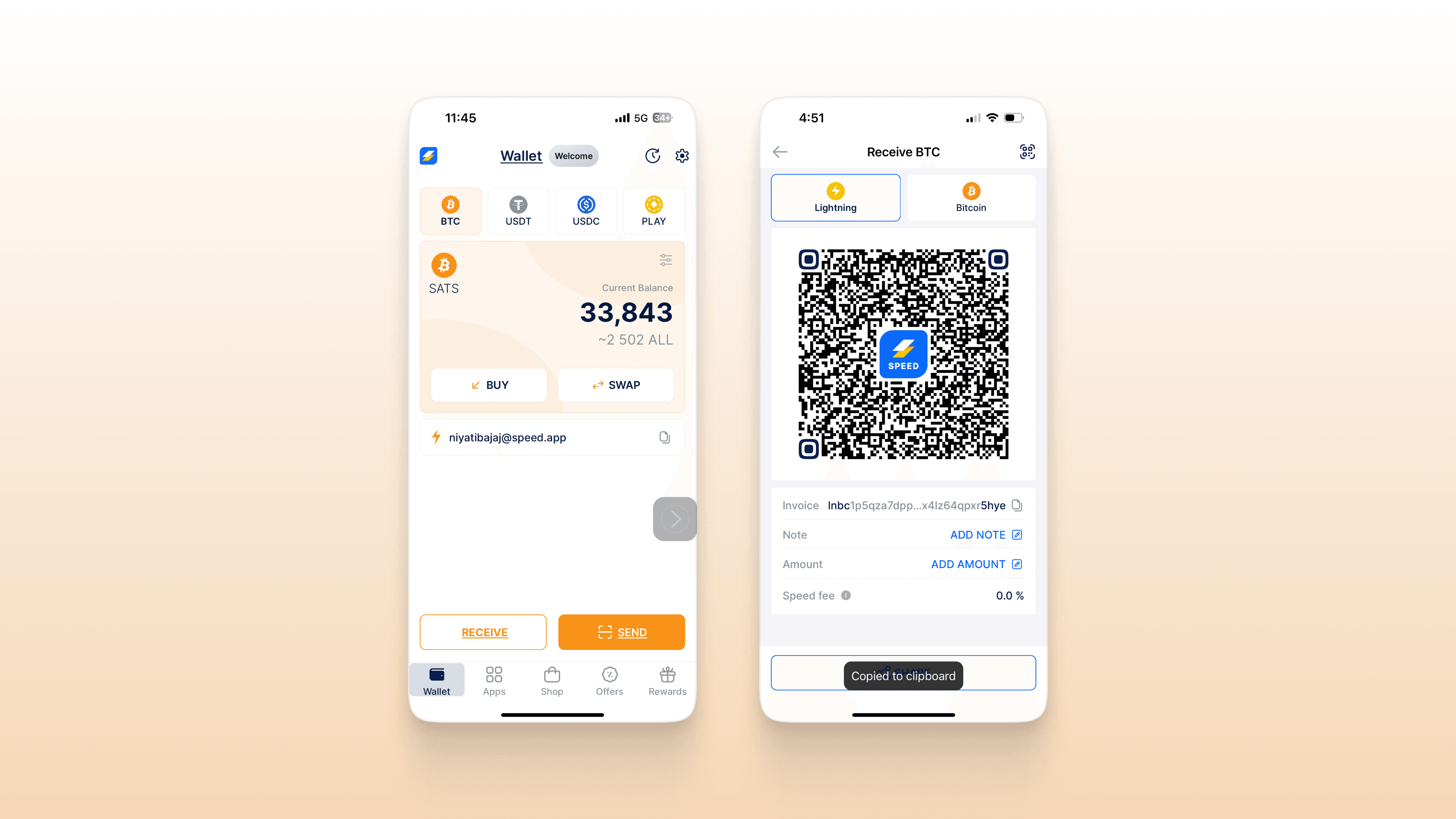
Step 2: Open your Cash App account
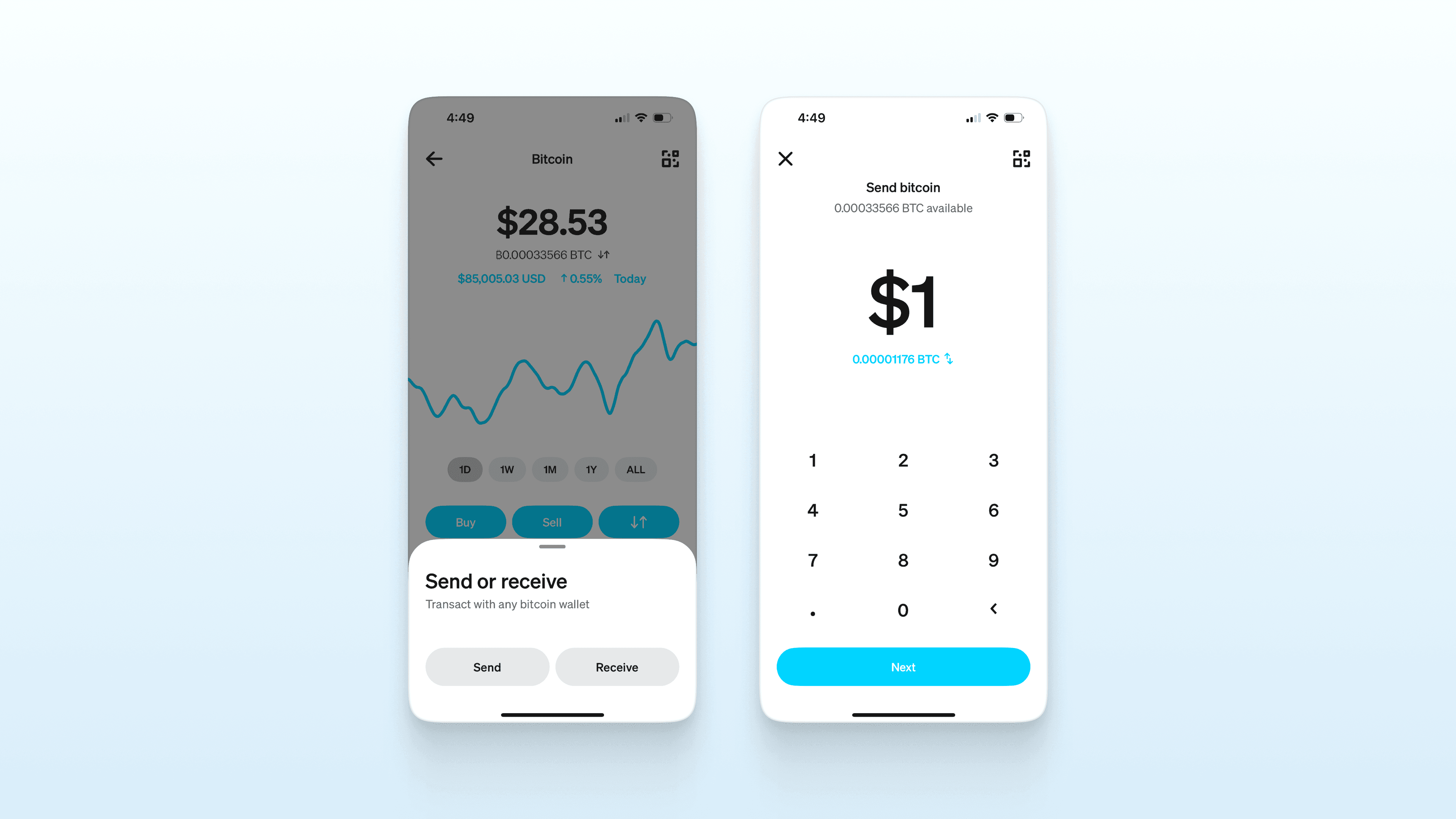
Open Cash App, head to the Money tab, tap on Bitcoin, then hit the send/receive icon (the two arrows).
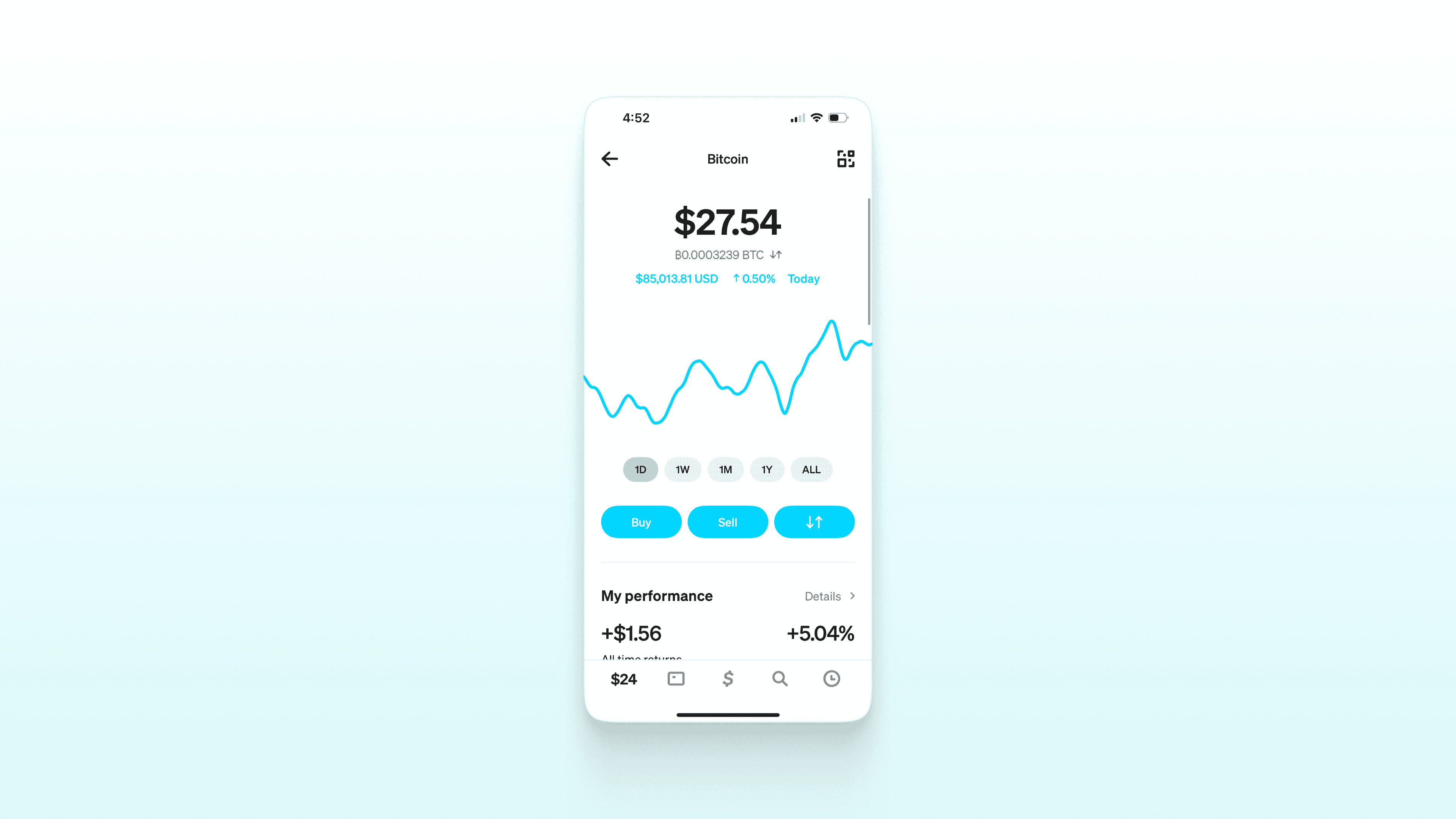
Step 3: Click Send. Enter the amount
Tap ‘Send’ and enter the amount you want to transfer.
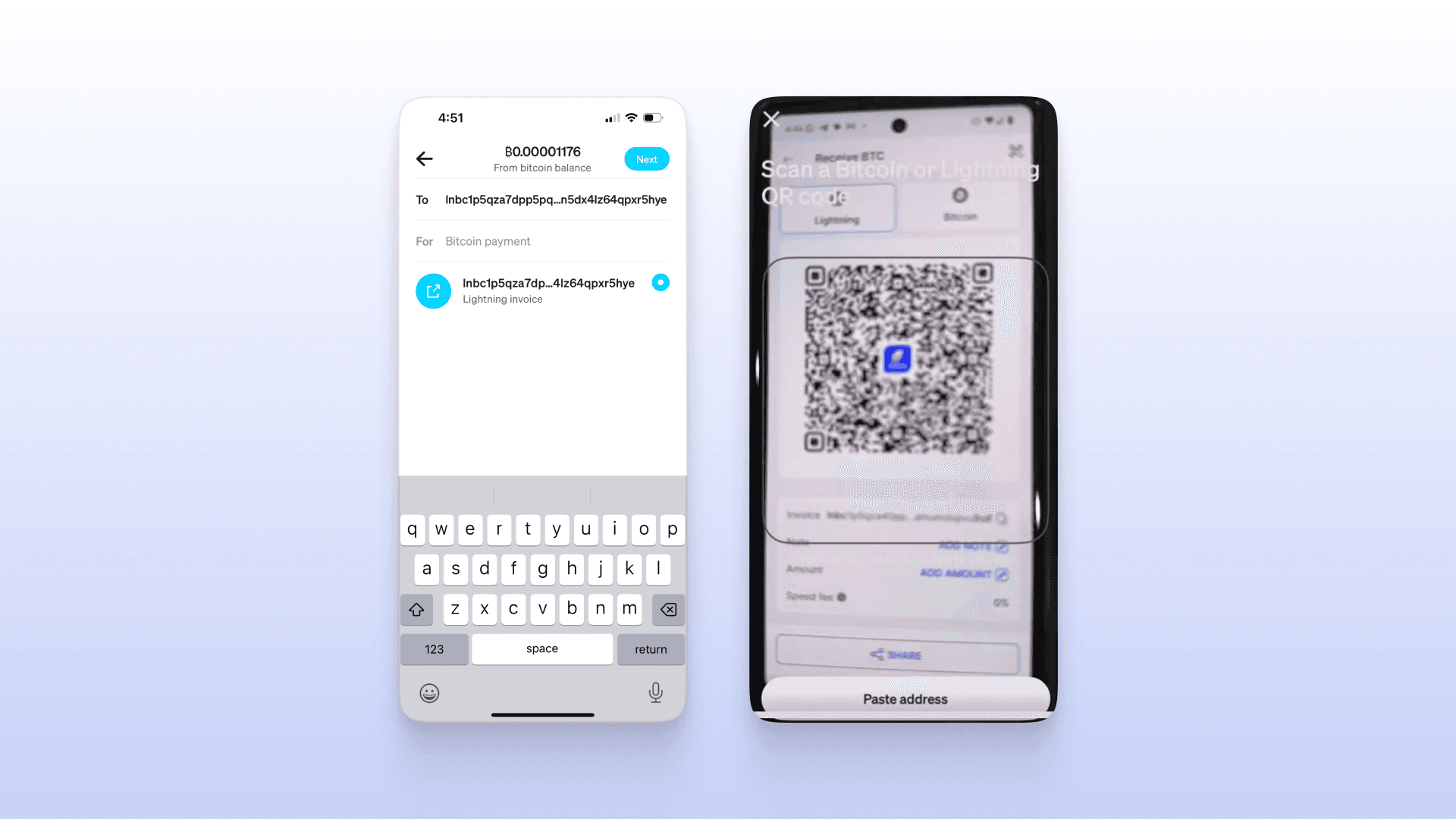
Step 4: Tap the QR icon in the top right corner
Scan the QR code or paste the Lightning invoice to proceed.
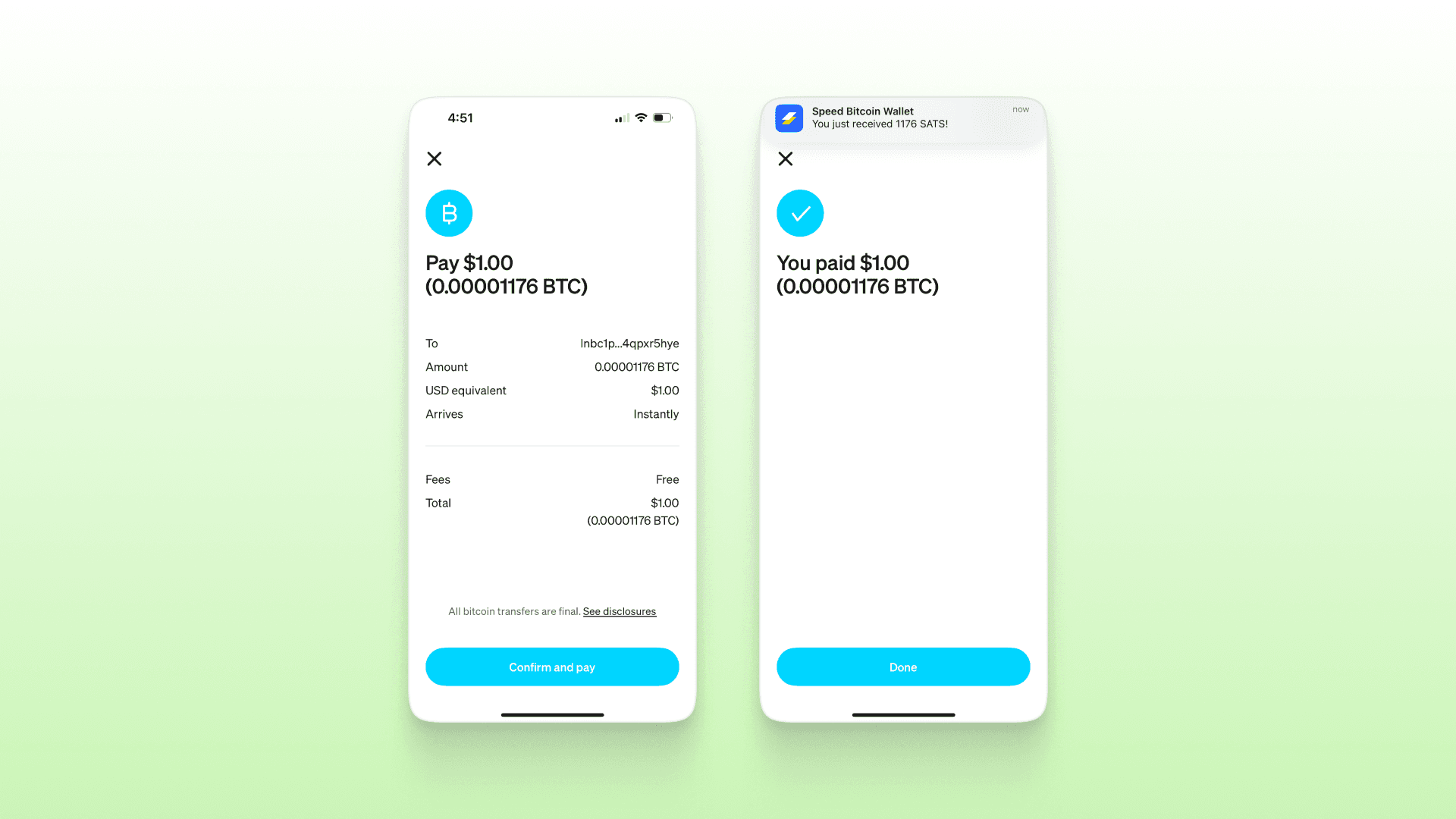
Step 5: Confirm the payment
Review the details and tap ‘Confirm’ to complete your payment.
Method 2: Send On-Chain
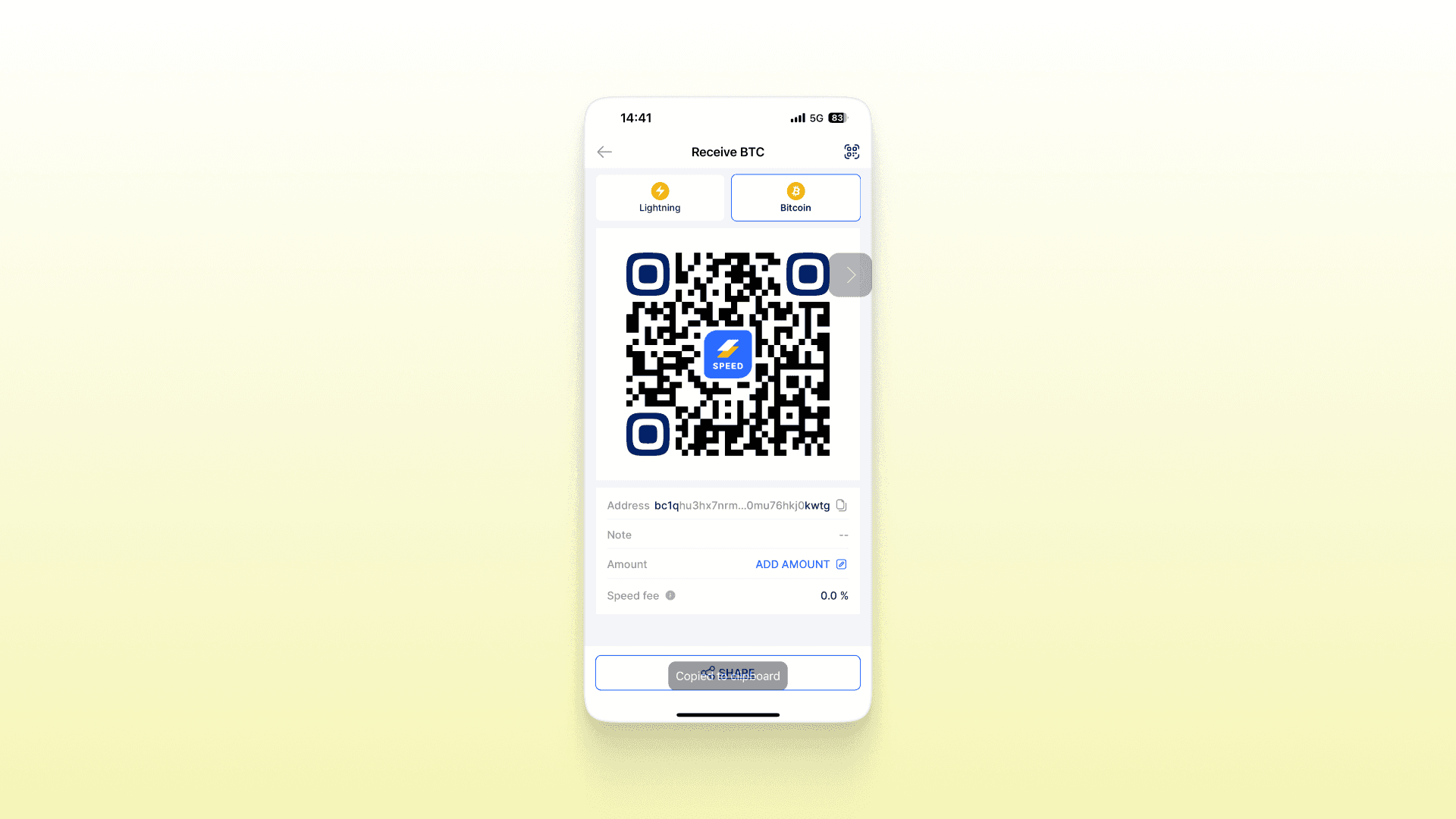
Step 1: Get Speed Bitcoin Address
Get your or recipient’s Speed Bitcoin Address
Sign into your Speed Wallet application and tap on the “Receive” button at the bottom left corner.
On the next screen, choose “Bitcoin” you will see your Bitcoin address. You can copy the Bitcoin address directly.
Step 2: Open your Cash App account
Open Cash App, head to the Money tab, tap on Bitcoin, then hit the send/receive icon (the two arrows).
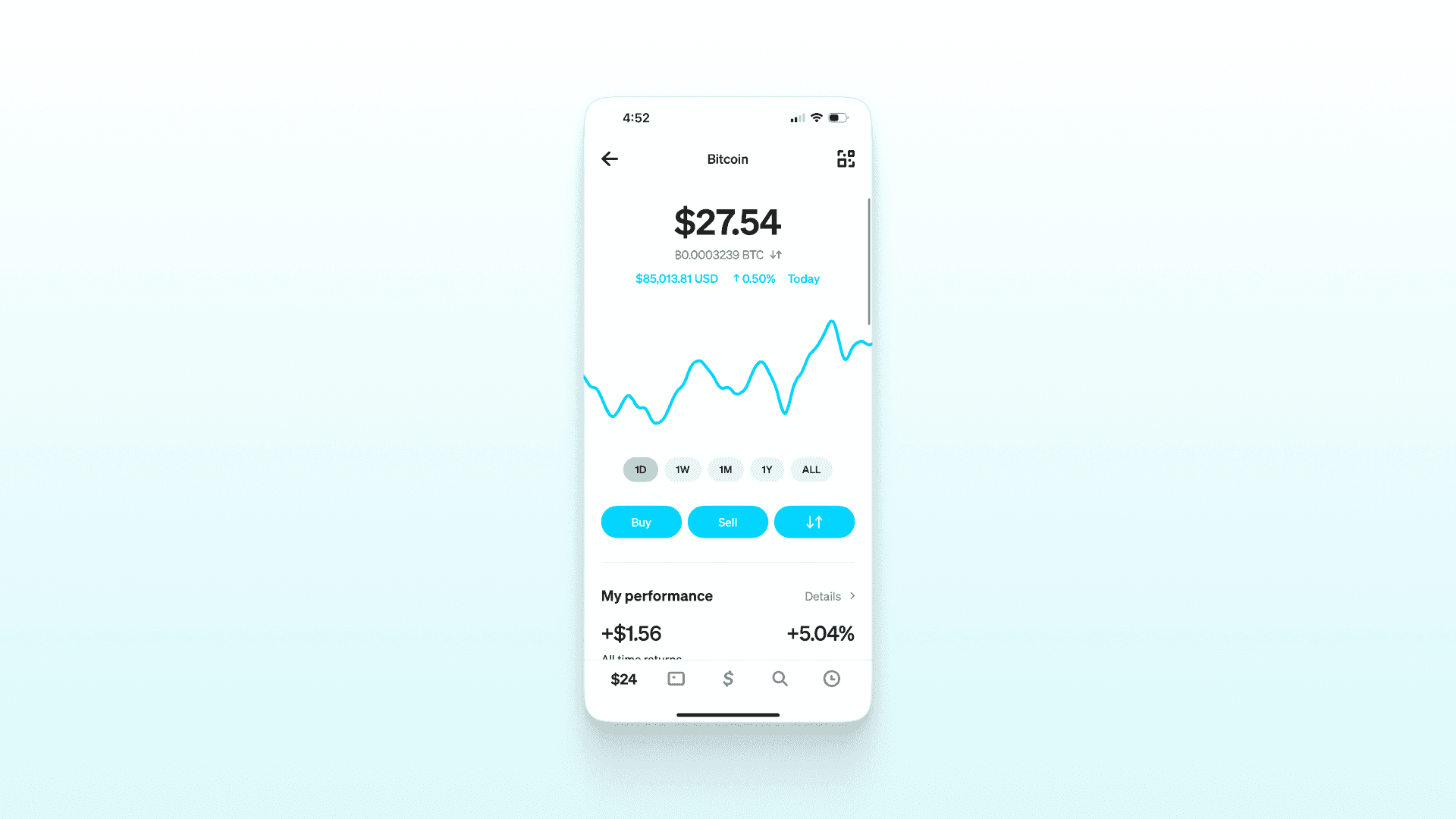
Step 3: Click Send. Enter the amount
Tap ‘Send’ and enter the amount you want to transfer.
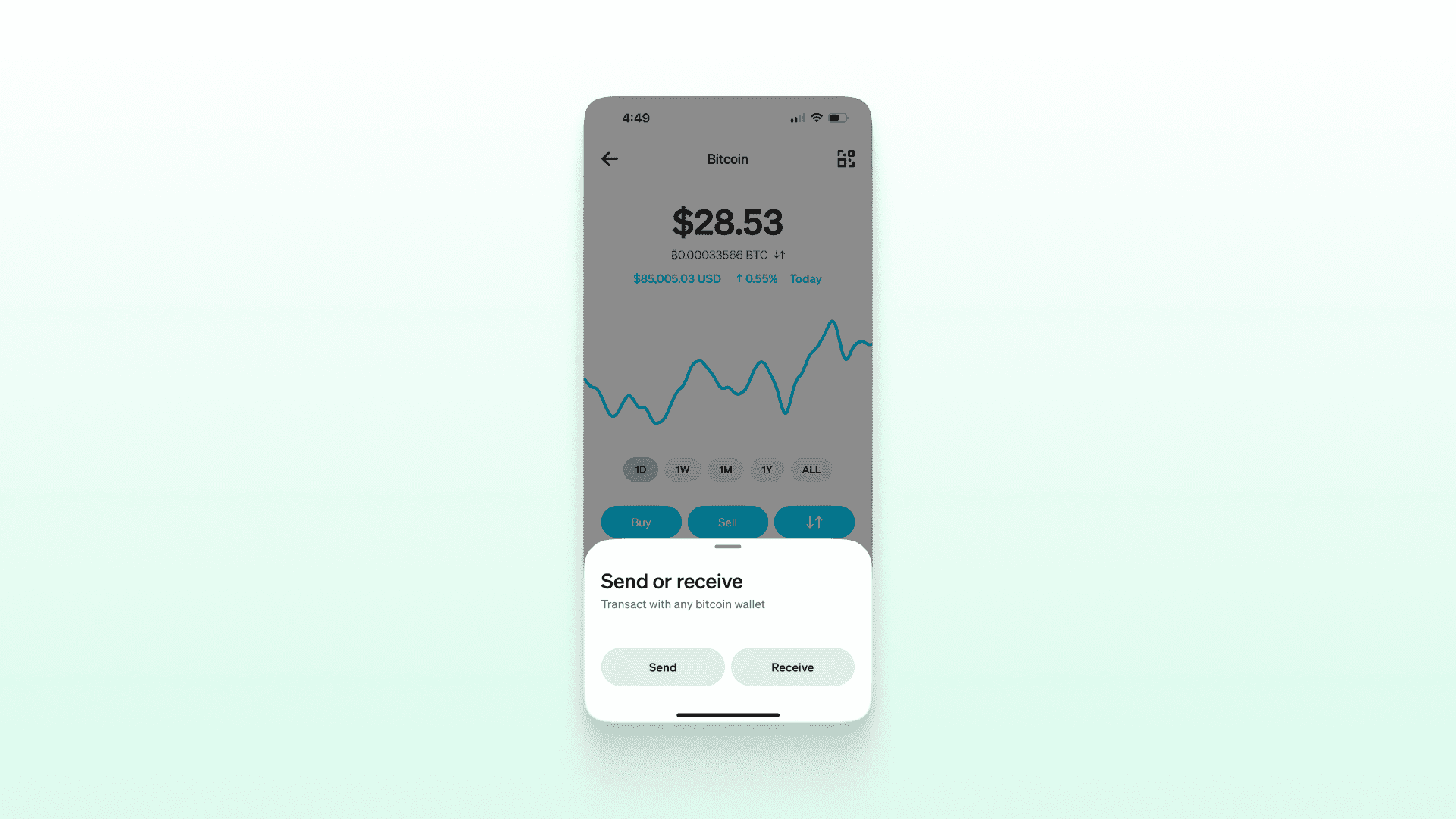
Step 4: Tap Next
Tap next and paste the Bitcoin address to proceed.
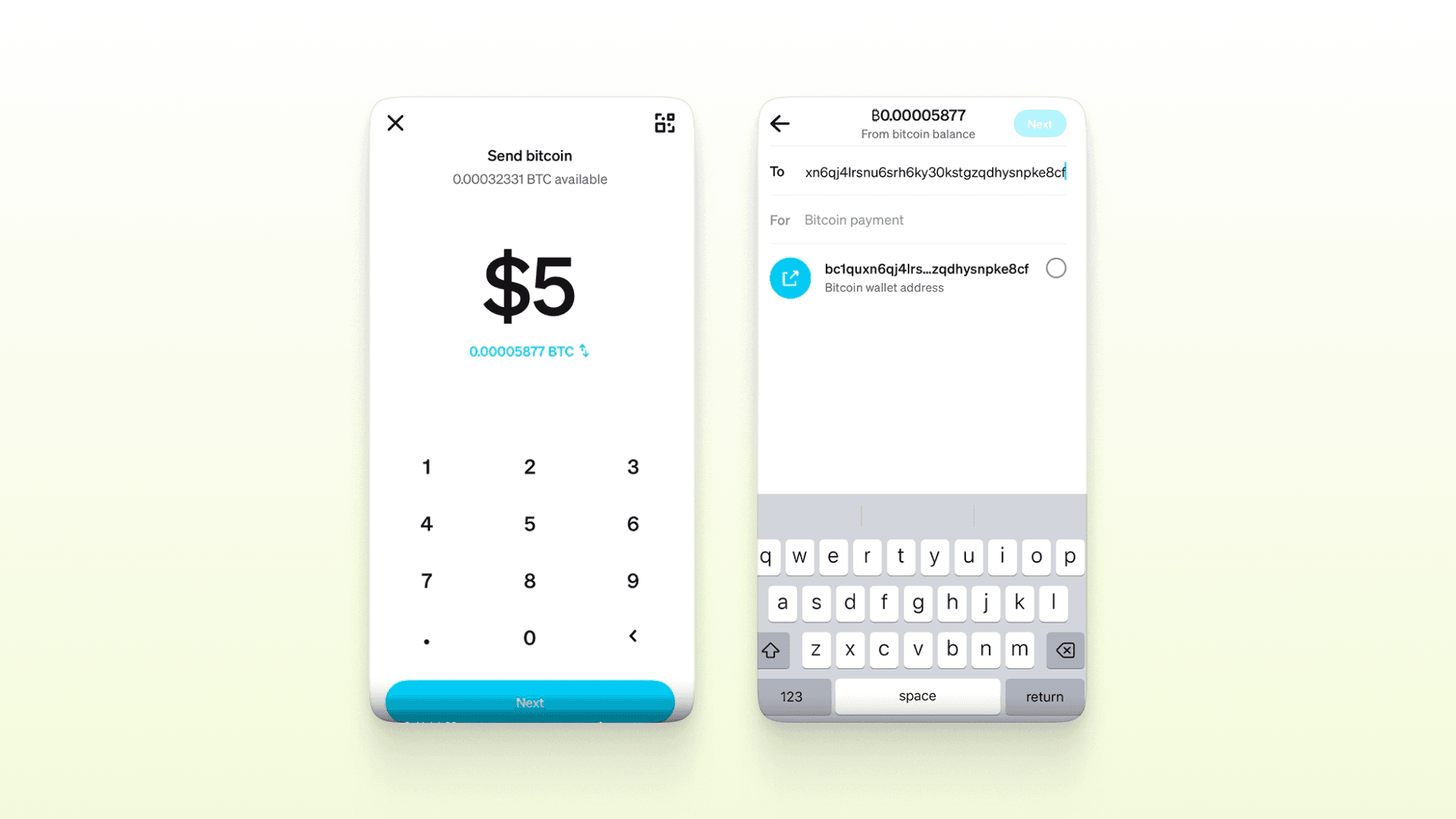
Step 5: Select withdrawal speed
Choose your withdrawal speed — Priority, Rush, or Standard.
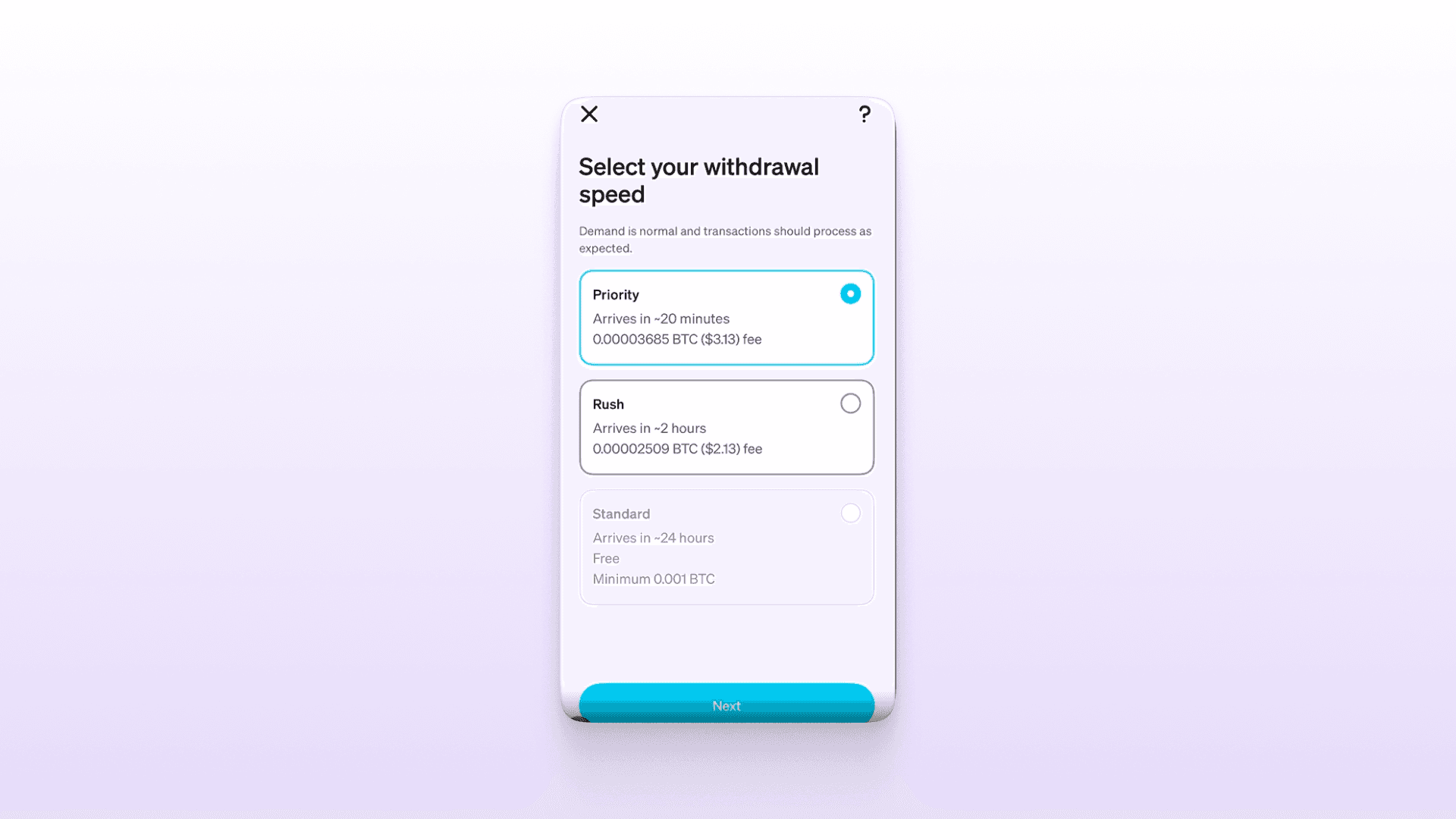
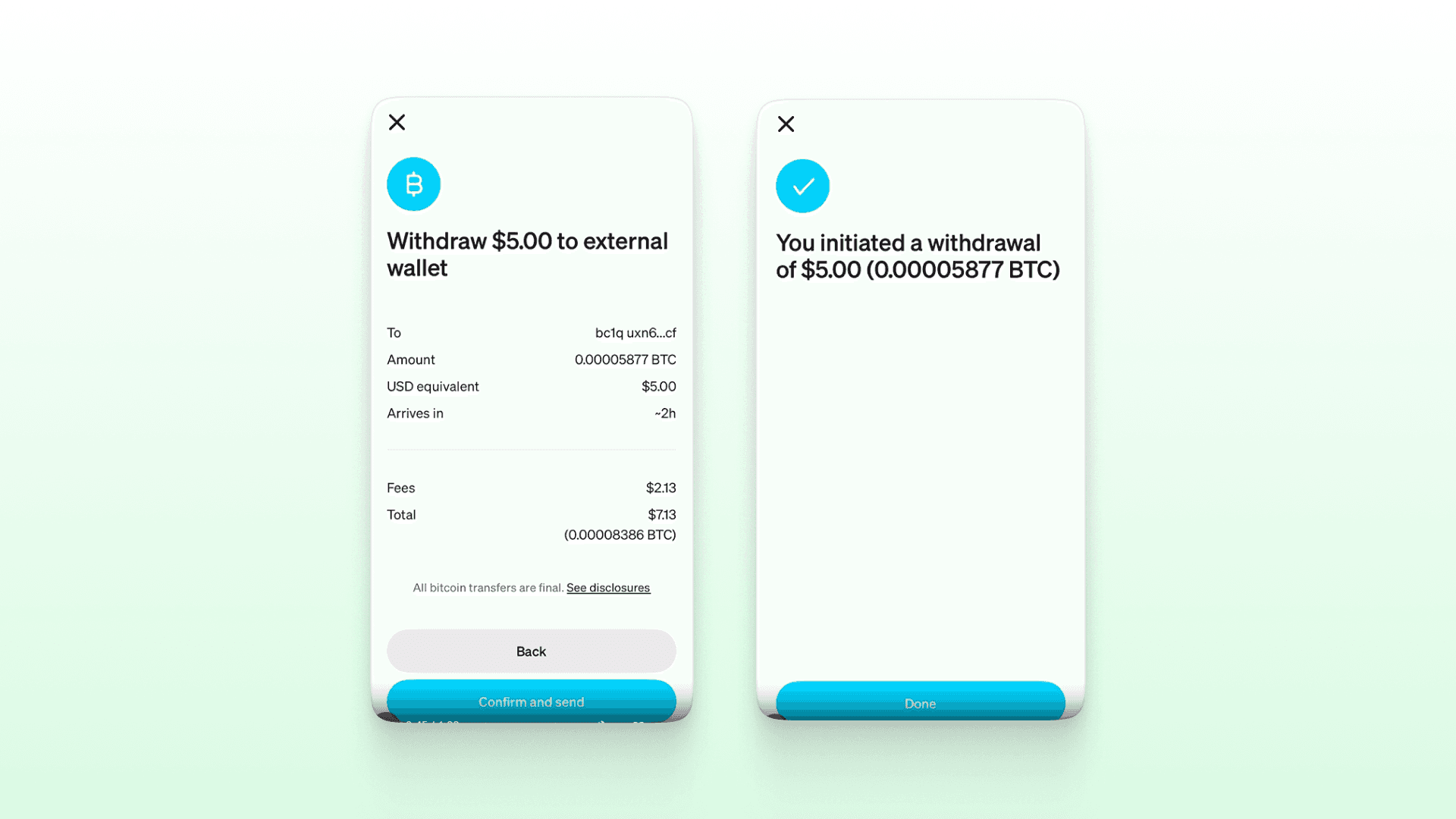
Step 6: Confirm the payment
Review and hit ‘Confirm and Send’ to make your payment.
Conclusion
Fast, Simple, and Made for You!
Now that you know how to deposit Bitcoin using cCash App, you’re all set to experience seamless payments — especially with Speed Wallet.
With Speed, you can send, receive, and even earn Bitcoin over the Lightning Network — instantly and with ultra-low fees. It’s the perfect combo for anyone who wants crypto payments that actually feel fast.